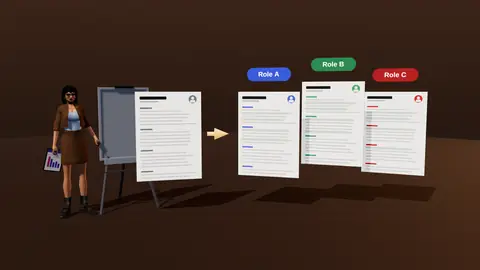
Scan a vacancy for keywords and see which your resume already shows
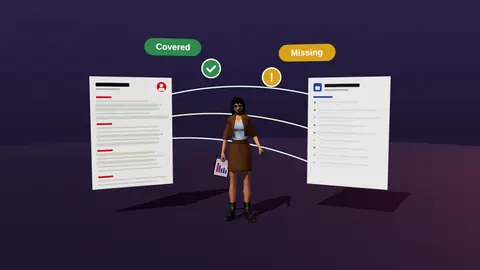
Keywords matter because both systems and humans scan for the vacancy's own terms. The scanner pulls the important terms from a job description, checks your resume for them and shows where true experience can be expressed in the same words.

- Extracts must-have and nice-to-have terms from the vacancy.
- Shows which appear in your resume and which do not.
- Suggests placements: headline, summary, bullets, skills.
- Encourages real evidence, not stuffing.
What you see
| Term | In resume? | Suggested place |
|---|---|---|
| SQL | Yes, in skills only | Add to a bullet with a result |
| A/B testing | Described differently | Use the vacancy's phrase in the summary |
| Stakeholder management | No | Add only if true, in a relevant bullet |
How to use it
- Paste the vacancy.
- Review the extracted terms and their weight.
- Place covered terms prominently.
- Rephrase hidden ones using the vacancy's wording.
- Skip terms you cannot support.
Method details: resume keywords from a job description and where to put them.
Reading the weights
| Signal in the vacancy | Likely weight |
|---|---|
| Listed under must-have or required | High |
| Repeated three or more times | High |
| In the title or first paragraph | High |
| Listed under nice to have | Low to medium |
Paste a job link, add your resume and get a requirement-by-requirement report.
Placing terms honestly
Used SQL for reporting.
Wrote SQL queries to build weekly reporting for 12 stores, cutting preparation from 6 hours to 40 minutes.
The term appears in a bullet with context and a result, which is what both parsers and people reward.
Synonyms and variants
- Spell out and abbreviate once: Search Engine Optimisation (SEO).
- Match the vacancy's form: A/B testing vs split testing.
- Use the standard name of tools, not internal nicknames.
A scan of a sample vacancy
| Term | Mentions in vacancy | On resume |
|---|---|---|
| SQL | 4 | Shown in skills and one bullet |
| Experimentation | 3 | Described as testing hypotheses |
| Stakeholders | 2 | Missing |
| Dashboards | 2 | Buried in an old role |
Action: rename testing hypotheses to experimentation, move dashboards up, and add a true stakeholder example if you have one.
Using the scan for the whole search
If you run the scanner across ten similar vacancies, patterns appear: the same four or five terms recur. Those are your core keywords for that role family. Build your master resume around them once, then tailor lightly per vacancy. That is faster than starting from zero each time.
Common mistakes
- Treating every term as equal.
- Adding tools you cannot discuss.
- Putting terms only in a skills list.
- Ignoring phrases that describe responsibilities rather than tools.
Where to place keywords naturally
- Headline and summary for the top two terms.
- Bullets of the latest role, with evidence.
- A skills section grouped by area.
- Project or certification lines when relevant.
Do not over-optimise
Repeating a term many times does not help a human reader and can look manipulative. Use each important term two or three times in natural context, and spend your remaining effort on evidence.
Where this fits in the full JobAny workflow
A strong application is built in a sequence, and each step feeds the next. 1. Find roles with the job search agent or the channels in where to find jobs. 2. Read the vacancy properly using how to read a job description. 3. Analyse your resume against it with resume analysis. 4. Tailor the top of the page with resume tailoring. 5. Add a short cover note if it helps. 6. Find a warm route through warm intros. 7. Apply and log it in the tracker. 8. Follow up using follow-up methods. Skipping a step is fine when the role does not justify the effort, but knowing the sequence helps you decide where your time pays off most. Start with one role you genuinely want and run the whole path once; the second time it will take a fraction of the time.
Key terms explained
- ATS
- Applicant tracking system, software employers use to collect, store and search applications.
- Parsing
- The step where software reads your file and sorts the text into fields such as name, employers and dates.
- Tailoring
- Adjusting emphasis and wording of the same true facts for one specific vacancy.
- Requirement coverage
- How many of a vacancy's main requirements your resume proves with evidence.
- Master resume
- Your complete private version with every role and result, from which you build shorter tailored copies.
- Warm introduction
- A recommendation or message passed through someone who already knows both sides.
- Reply rate
- Replies divided by applications sent, the clearest signal of whether your approach works.
Knowing these terms makes it easier to read job ads, compare tools and judge advice you find online, because many claims depend on what exactly is being measured.
No stuffing
A list of invented keywords in white text or a dense skills dump hurts you. Terms should be backed by a real bullet. See also resume tailoring.
Try it on your own resume
Start costs $1 as a one-time payment, with no subscription. Add your resume and a vacancy link and see the result.
Frequently asked questions
Does it just count words?
It identifies important terms and phrases, and checks meaning, not only exact matches.
Should I match every keyword?
No, only those you can support.
Are synonyms handled?
It flags hidden matches where you use different wording.
Is hidden white text useful?
No, it is counterproductive and risky.
Is it free?
See the pricing page.
How many keywords are enough?
Cover the must-haves you can support; quality beats count.
Should I add a keyword section?
A skills section is fine; keywords should also appear in context.
Do keywords matter for human readers?
Yes, people scan for the same terms.
Does it work for non-English vacancies?
It works best when the vacancy and resume share a language.
Can it find soft skills?
It flags soft-skill phrases, but prove them with examples.
Is it the same as an ATS score?
No; it shows term coverage, not a universal score.
Keep reading