How to track job applications: a simple system
After the tenth application you will not remember which version of your resume went where, who replied or when to follow up. A tracker solves that and does something more useful: it shows which resume versions and channels actually get answers. Here is a system you can set up in ten minutes.
- Record the same eight fields for every application.
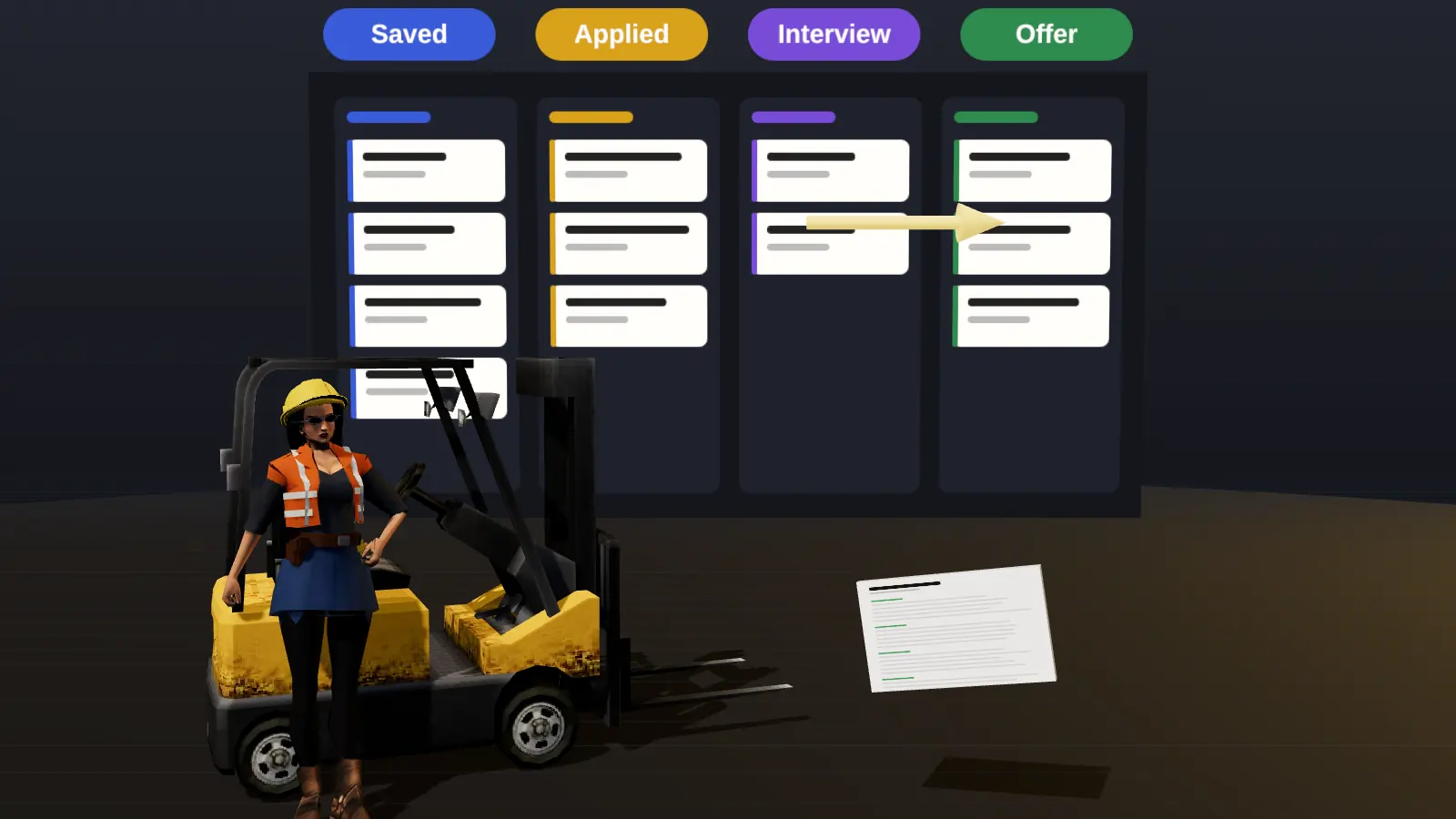
- Use a short status pipeline and move cards when something happens.
- Set follow-up dates when you apply; review the board twice a week.
- Once a month, look at what worked: channels, resume versions, roles.
What to record for each application
| Field | Why |
|---|---|
| Company and role | Obvious, and needed for the cover text and follow-up |
| Link to the posting | Postings disappear; also save the text |
| Date applied | Sets follow-up timing |
| Source/channel | Referral, company site, job board: shows which route works |
| Resume version | Learn which version performs |
| Contact | Recruiter or referrer name and email |
| Status | See the pipeline at a glance |
| Next action and date | The reason to open the tracker |
| Notes | Interview questions, salary range, impressions |
A five-stage pipeline
- Saved: a role you plan to apply to, with the deadline.
- Applied: submitted; set a follow-up date for about 7 days later.
- In conversation: recruiter screen or intro call.
- Interview: formal interviews and tasks, with dates.
- Offer or closed: offer, rejection or you withdrew. Always note why if known.
Keep stages few. More columns create more admin and less action.

Follow-up rules
- 7 to 10 days after applying with no reply: one short follow-up (see how to follow up after applying).
- Within 24 hours after an interview: thank-you note.
- After a promised date passes: polite check-in.
- After two follow-ups with no answer: move to Closed and keep going.
Paste a job link, add your resume and get a requirement-by-requirement report.
Spreadsheet or tool?
A spreadsheet is fine up to roughly a dozen live applications. Beyond that, a tool that links each card to the vacancy, the resume version and your notes saves time, and a browser extension that records the application at the moment you apply removes the biggest friction: remembering to log it. Read job tracker vs spreadsheet for the trade-offs.
Review monthly: what the data tells you
- Which channel produced the most replies: referral, company site, board?
- Which resume version or headline got more responses?
- At which stage do applications stall: no reply, after screen, after interview?
- Are you applying to roles where most must-haves are covered?
If most applications stall at no reply, work on the match and visibility (why am I not getting interviews?). If they stall after interviews, work on preparation.
What to record for every application
| Field | Why |
|---|---|
| Company, role, link | Find the posting if it disappears |
| Date applied | Time follow-ups correctly |
| Channel | See which routes produce replies |
| Resume version | Know what each employer saw |
| Contacts | Avoid writing to the wrong person or twice |
| Status and next action | Keep the pipeline moving |
| Notes | Prepare interviews |
Pipeline stages and rules
Use clear stages: saved, applied, follow-up due, screening, interview, offer, closed. Set a rule: if nothing happens seven to ten days after applying, move the card to follow-up due. Close cards that are dead so your board reflects reality. Review weekly: how many applications, how many replies, which channel and version perform best.
Metrics worth watching
- Response rate by channel: referrals versus portal applications.
- Interview rate by resume version.
- Time to first reply.
- Stage drop-off: where candidates disappear.
After twenty to thirty applications you will see patterns and know what to change.
Tools: spreadsheet or tracker
A spreadsheet is enough at first. When you juggle many applications, a dedicated tracker adds reminders and links versions to vacancies. See tracker vs spreadsheet and the JobAny tracker.
Next steps after reading this guide
Apply what you just read to one real resume rather than keeping it as theory. Open your current file, pick the single change from this guide that would help most, and make it today. Then check the result against a real vacancy with resume analysis and keep the improved version as your new master. If you are still deciding what to prioritise, read common resume mistakes and how to quantify achievements, which fix most weak resumes. When you are ready to send, run the readability test from ATS-friendly format, and log the application in your tracker so you remember to follow up. Small, consistent improvements beat one large rewrite: change one thing, send, observe the replies, then change the next.
How JobAny helps
JobAny's tracker keeps the vacancy, the resume version you used, the match analysis and the status together, and the browser extension can add an application as you fill it. See the job application tracker.
Check your resume against a real vacancy
Add your resume and a job link. JobAny shows which requirements are covered, what is missing, what a recruiter sees first and whether the file reads cleanly. Start costs $1, no subscription.
Frequently asked questions
What is the best way to track job applications?
A simple board or sheet with the same fields for every application and a next-action date, reviewed twice a week.
How many applications should I track at once?
As many as you send. The tracker is useful from the third application onwards.
Should I save the job description?
Yes. Postings are removed after closing, and you need the text to prepare for interviews.
How often should I follow up?
Once after about a week, then once more at most.
Can I track applications in my email?
Labels help but do not show pipeline status or resume versions. A sheet or tool is clearer.
How soon should I log an application?
The same day, while the details are fresh.
What if I apply through several channels?
Log each, and note the main one.
Should I track rejections?
Yes, with the reason if known.
How long should I keep records?
At least until the search is over; they help in the next one.
Keep reading